
Windows 11 Screensaver Bug: 11 Months Unfixed, August 2026 Update Skips It Again
The Windows 11 August 2026 preview update (KB5101684) landed last week with 42 fixes and a handful of new features for Windows 11 24H2 and 25H2.
The Windows 11 August 2026 preview update (KB5101684) landed last week with 42 fixes and a handful of new features for Windows 11 24H2 and 25H2. Voice Isolation for Voice Access, external fingerprint reader support for Windows Hello, new touchpad gesture controls -- a decent list. What it does not include: any fix for the screensaver bug that has been breaking Windows 11's built-in screensaver for 11 months.
If your screensaver stopped working sometime after September 2025 and you have been waiting for Microsoft to patch it, the wait continues.
Where It Started: KB5065426
The September 9, 2025 Patch Tuesday update (KB5065426, build 26100.6584) was a standard monthly security release. It fixed a kernel interrupt-state issue, patched several CVEs, and resolved a UAC prompt problem affecting MSI installers. It also broke the Windows screensaver for a subset of users.
The symptoms vary. For some, the screensaver never activates no matter what timeout you set. For others, it triggers but shows a blank screen instead of the selected screensaver. Sleep mode behavior is also affected on some machines, with the display refusing to sleep after the configured timeout.
The official workaround from Microsoft support, still recommended on the Microsoft Q&A thread for this issue, is blunt: uninstall KB5065426. Go to Settings, open Windows Update history, find the update, and remove it. That is the fix, 11 months later.
Eleven Cumulative Updates, Zero Screensaver Fixes
Since KB5065426 shipped on September 9, 2025, Microsoft has released eleven cumulative updates for Windows 11 24H2 and 25H2:
- October 2025 Patch Tuesday
- November 2025 Patch Tuesday
- December 2025 Patch Tuesday
- January 2026 Patch Tuesday
- February 2026 Patch Tuesday
- March 2026 Patch Tuesday
- April 2026 Patch Tuesday
- May 2026 Patch Tuesday
- June 2026 Patch Tuesday
- July 2026 Patch Tuesday
- July 2026 preview (KB5101684, the August preview)
None of them address the screensaver regression. The known-issues list for KB5101684 says Microsoft is "not currently aware of any issues with this update" -- which either means the screensaver bug does not meet their bar for acknowledgement, or it is simply not on the radar for the update team.
What KB5101684 Actually Fixes
To be fair, this update does a lot. The 42 fixes and features include:
- File Explorer now shows file sizes in KB/MB/GB instead of raw kilobytes
- Middle-click opens folders in new tabs in File Explorer
- Windows Search handles typos and partial app names better
- Voice Access gets Voice Isolation to filter background noise
- Windows Hello now works with external fingerprint readers
- Touchpad settings get scroll speed and accelerated scrolling controls
- File History backups to SMB shares work again
- Explorer crashes when opening Jump Lists are fixed
- Lock screen and sign-in reliability improved on low-memory devices
It is a solid maintenance update. But it once again skips the Windows screensaver entirely -- just like every update before it since September 2025.
The screensaver dialog in Windows 11 is already in rough shape. It is buried under Settings > Personalization > Lock screen > Screen saver, a path nobody would find without searching. The six built-in screensavers (3D Text, Bubbles, Mystify, Photos, Ribbons, Blank) have not changed since Windows XP. And now, for users affected by the KB5065426 regression, even those six options do not work reliably.
A Workaround That Does Not Involve Uninstalling Security Updates
Uninstalling KB5065426 means rolling back a security update that patches real vulnerabilities. That is a bad trade. You should not have to choose between a working screensaver and a patched system.
The alternative is to stop relying on Windows' built-in screensaver system entirely. LumoTray manages its own fullscreen and screensaver modes independently. When you configure a screensaver timeout in LumoTray, the app handles the idle detection and fullscreen overlay itself. It does not route through the Windows screensaver dialog or the built-in .scr file system that KB5065426 broke.
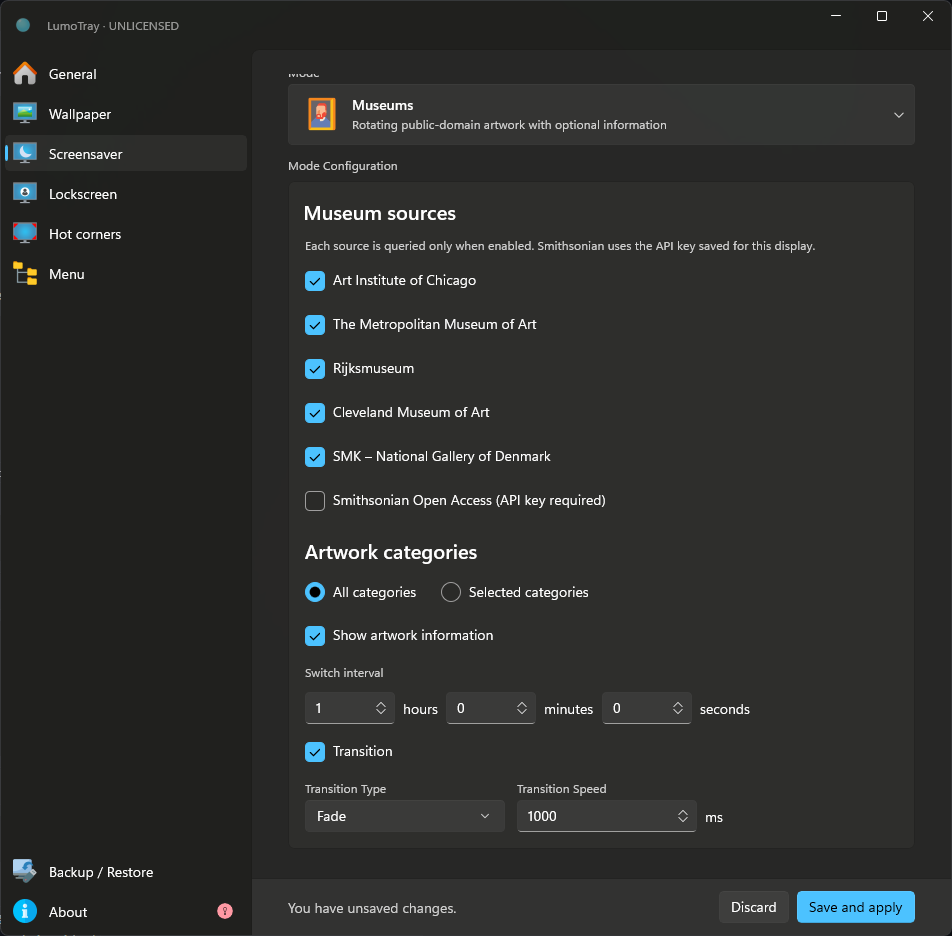
What you get instead of the six Windows XP-era options: Museums mode (global artwork pulled from museum collections), NASA EPIC (live Earth imagery from the DSCOVR satellite), Matrix video overlay, clock and timer displays, plus 15+ other modes. Each can be set per monitor, triggered with a global hotkey, and configured to auto-close on mouse movement.
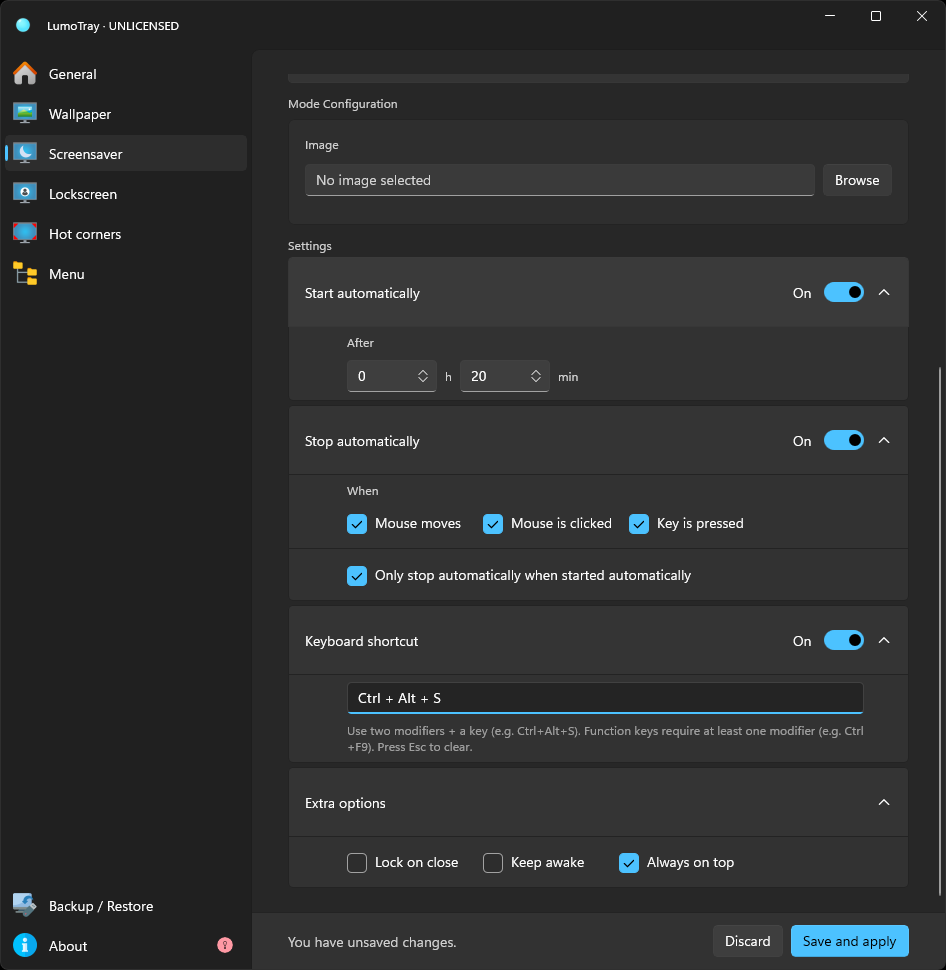
Because LumoTray manages its screensaver independently of the Windows screensaver plumbing, the KB5065426 bug does not interfere with it.
If you want to try it:
Download LumoTray from the Microsoft StoreAfter installing, open LumoTray from the system tray, go to the Fullscreen/Screensaver section, pick a mode, set your timeout and hotkey, and you are done. No registry tweaks, no .scr files, no uninstalling security updates.
The Bigger Picture
This bug is not the only sign that screensavers are a low priority at Microsoft. The built-in screensaver picker has been untouched since Windows XP. The August 2026 preview's "improved lock screen and sign-in reliability" note is about memory-constrained devices, not screensavers. The July 2026 Patch Tuesday update (KB5101650) also had zero screensaver changes.
KB5101684 cannot tell us what Windows 11 26H2 will contain: Microsoft lists it only for 24H2 and 25H2. A separate Windows Insider announcement confirms that 26H2 is in the Experimental channel, but it is not a complete feature roadmap. Neither Microsoft page announces screensaver work. That supports a narrower conclusion: this monthly update leaves the reported regression untouched, while future 26H2 builds remain an open question.
If you rely on the Windows screensaver daily -- for privacy when you step away, for a clock on a spare monitor, or just because you like having one -- the safest bet right now is to assume Microsoft will not fix this anytime soon, and to use something that bypasses the broken bits entirely.
References: Microsoft KB5065426 changelog, KB5101684 changelog, Microsoft Q&A thread 5553387, BleepingComputer KB5101684 coverage, Microsoft’s 26H2 Experimental announcement