
Organize it your way
Create nested folders and separators, then arrange shortcuts around the way you actually work.
 LumoTray
Tray and menu-bar launcher
Build a personal nested menu for applications, files, folders, and websites, then open it from the Windows tray or macOS menu bar.
The custom menu stays compact and close to the pointer, keeping useful targets handy without adding another dashboard to the desktop.
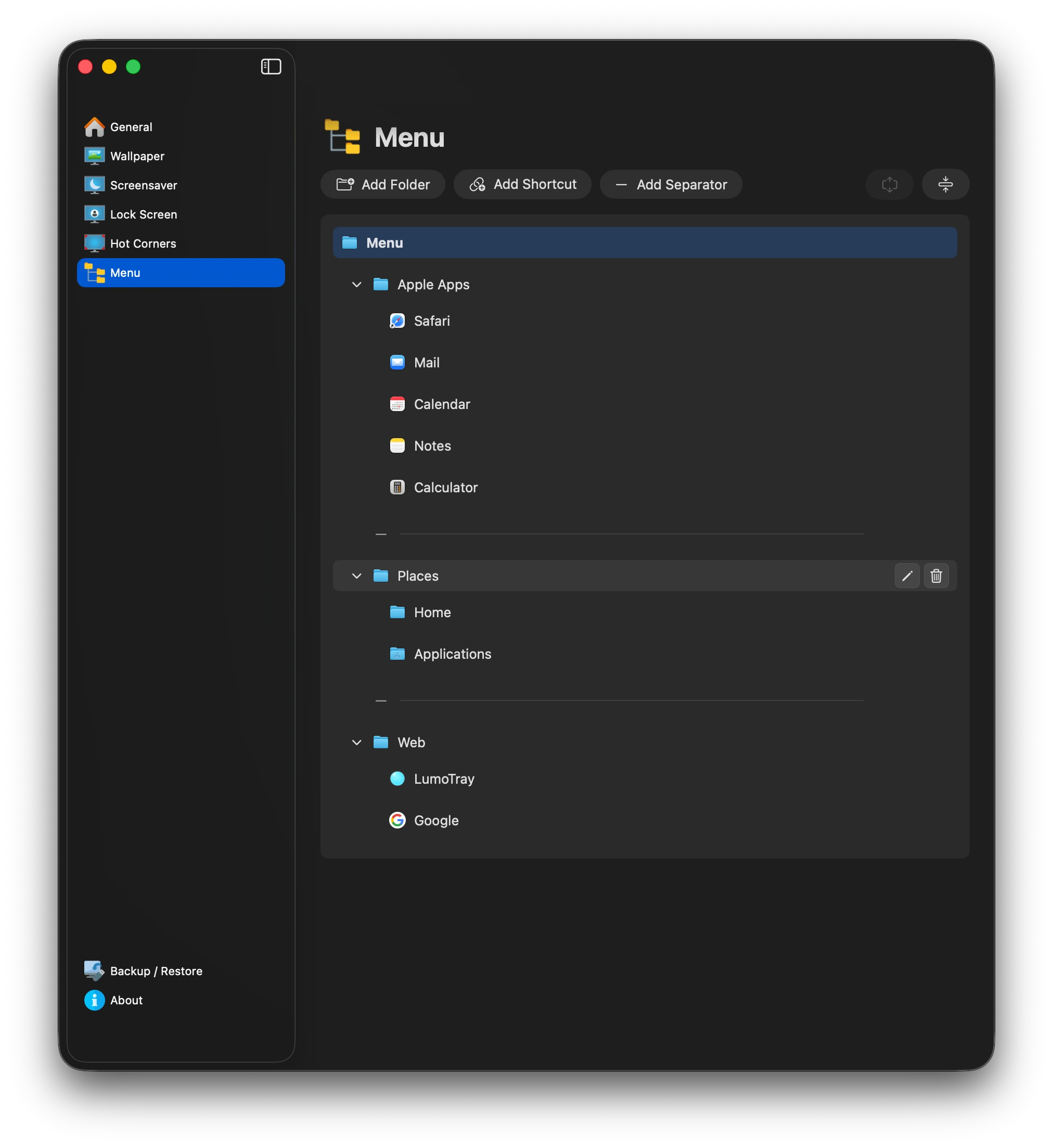
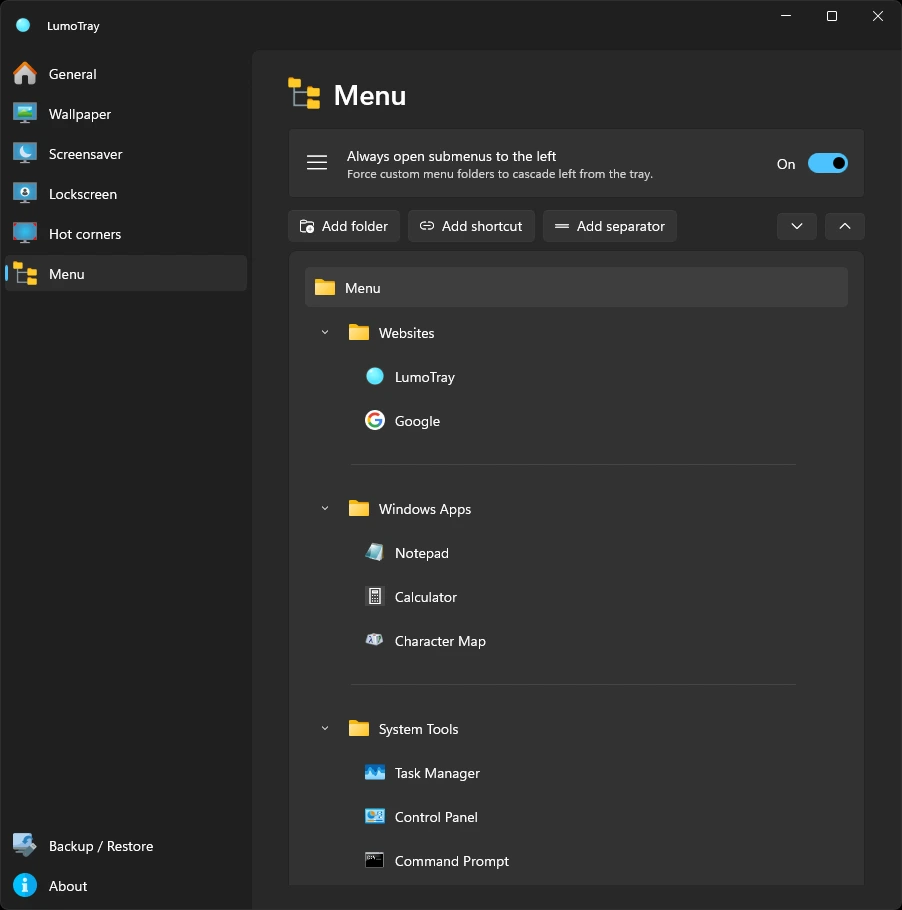
Create nested folders and separators, then arrange shortcuts around the way you actually work.
Open the menu from the tray or menu-bar icon, assign it to a supported icon click, or trigger it from a hot corner.
Use familiar application, file, folder, and website icons, or choose a custom icon for individual items.
macOS
Create a minimal, customizable menu that keeps everyday apps, files, folders, and websites close without cluttering your Mac.
Explore LumoTray for Mac →Windows
Open apps, documents, folders, websites, scripts, and other targets supported by the Windows shell.
Explore LumoTray for Windows →