
The same image sources
Reuse the static and rotating sources already familiar from wallpaper settings.
 LumoTray
Lock Screen images
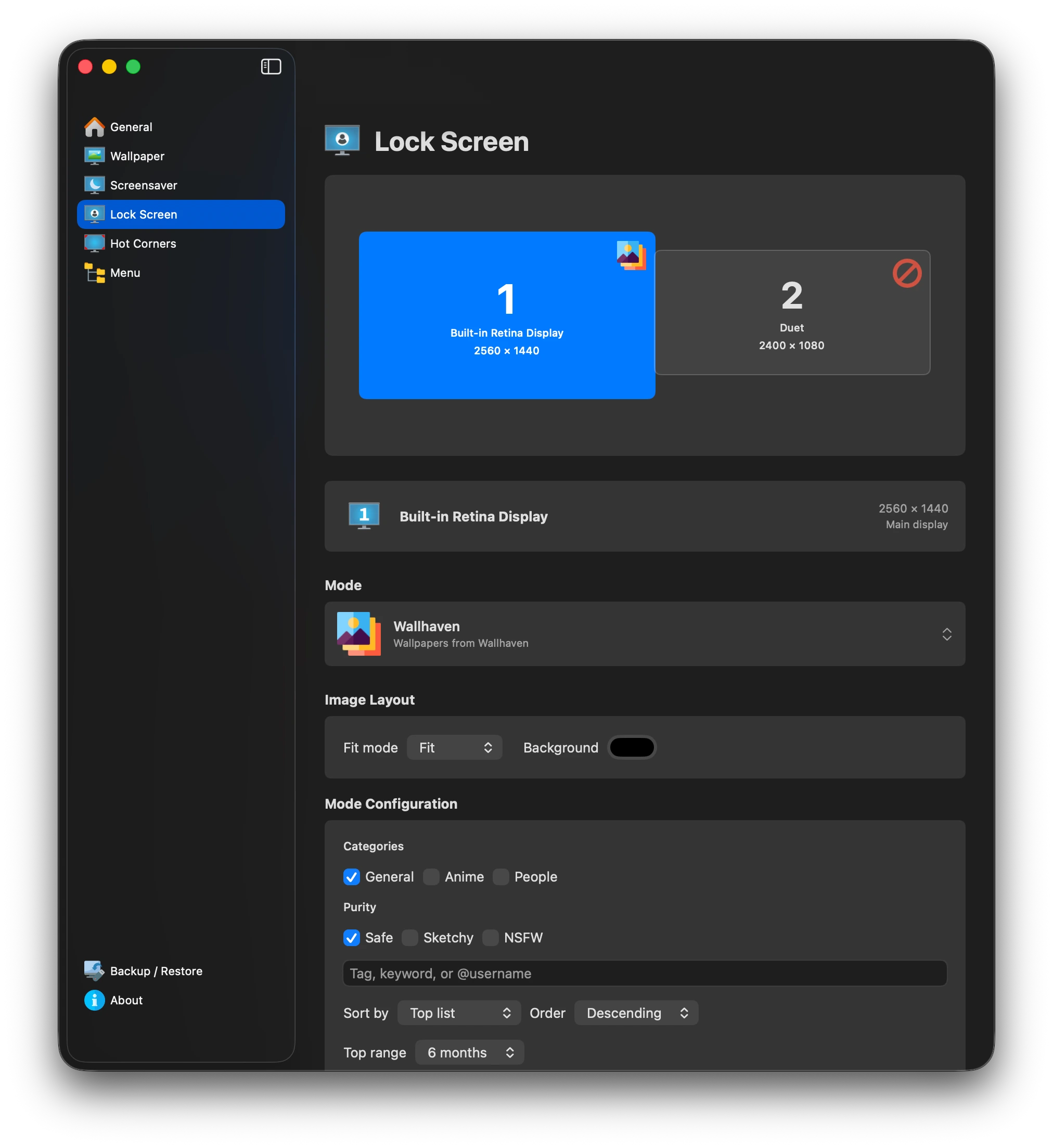
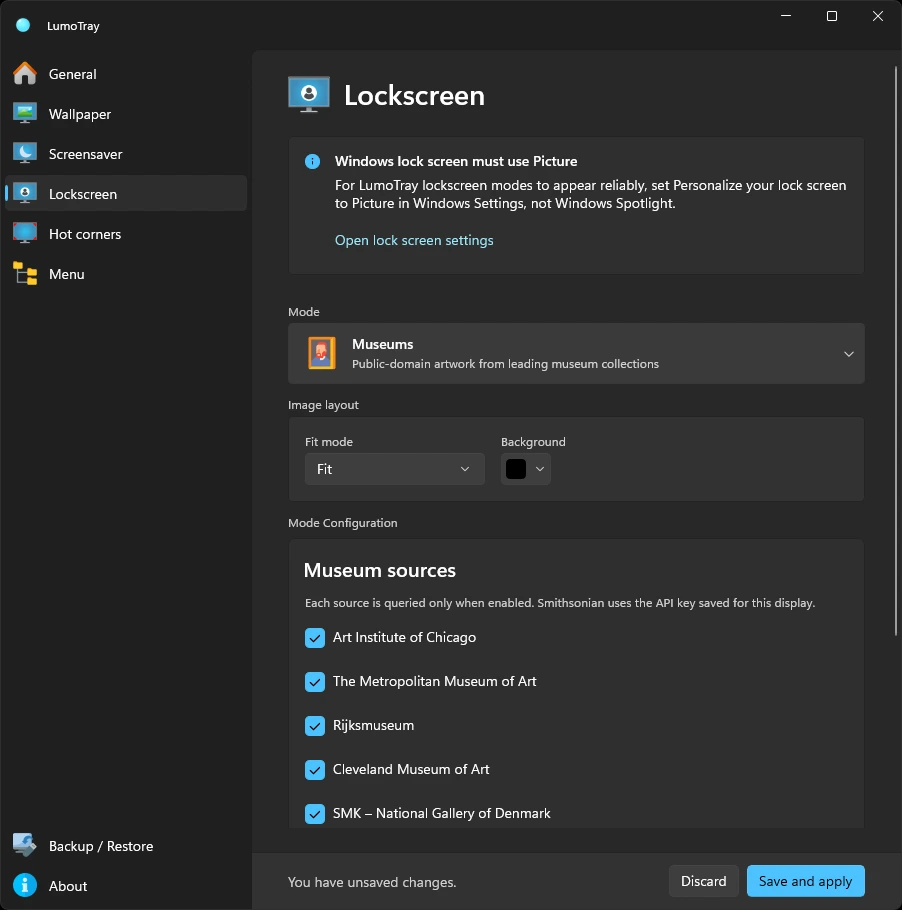
Use local images, slideshows, NASA, Bing, Spotlight, Unsplash, Wallhaven, or museum art for the Lock Screen.
Lock Screen behavior differs between operating systems, so LumoTray makes the boundary explicit instead of pretending they are identical.
Reuse the static and rotating sources already familiar from wallpaper settings.
Supported remote and slideshow modes can continue changing while the session is locked.
LumoTray restores or reapplies the desktop presentation after unlock instead of leaving stale state behind.
macOS
Use a different Lock Screen image on each display after you sign in - the Mac version supports more than one monitor here.
Explore LumoTray for Mac →Windows
Windows exposes one managed Lock Screen background. LumoTray applies the selected static or rotating image mode there.
Explore LumoTray for Windows →